


Your phone's camera is only half the story. The real magic happens after you hit the shutter button, when you crop out that stray elbow, warm up a dull sky, or erase a photobomber who wandered into frame. The right editing app can turn an average shot into something you actually want to post, and on Android, you have more solid options than ever.
But "more options" also means more confusion. Do you need a free app that does everything, or is it worth paying for one with deeper controls? Should you pick something built for quick social edits, or a tool that handles RAW files like a professional camera app would? That depends entirely on how you shoot and what you want out of your photos.
This guide breaks down five of the most trusted photo editing apps for Android right now, covering what each one does best, who it's built for, and where it falls short.
Whether you're editing casual phone snapshots or fine-tuning RAW files from a mirrorless camera, there's something here for you. Now let us look into the top 5 photo editing apps for Android.
Snapseed
Snapseed is Google's own photo editor, and it has quietly become one of the most respected free tools in the mobile editing space. It packs in professional-grade controls, including RAW editing, without charging a single cent. It's ideal for anyone who wants desktop-level precision without opening a desktop app.
Key Features
-
Support for RAW DNG files straight from professional cameras, with no compression loss
-
A large library of filters and one-tap looks for quick styling
-
Selective adjustment tool that lets you brighten, darken, or recolor specific areas by tapping and dragging
-
Healing brush for removing blemishes, dust spots, or small unwanted objects
-
Non-destructive editing with a full edit history stack, so you can undo or revisit any single step
-
A built-in Snapseed Camera mode for capturing photos with custom film-style looks and real-time effects
-
Curves, white balance, and perspective correction tools for more technical adjustments
Ratings
Apple App Store: 4.9 out of 5
Google Play Store: 3.6 out of 5
Pros and Cons
Pros
-
Completely free, with no ads, subscriptions, or in-app purchases
-
RAW file support that rivals paid competitors
-
Non-destructive workflow protects your original images
-
Regularly updated by Google, including a recent redesign
Cons
-
No desktop version, so editing is mobile-only
-
Recent interface changes have frustrated some longtime users
-
Repair and healing tools can be imprecise on complex backgrounds
Pricing
Snapseed is entirely free on Android, with every filter, tool, and feature unlocked from the first launch. There's no premium tier and nothing hidden behind a paywall, which is unusual for an app this capable.
How the Fileion Team Analyzed and Picked This Tool
We evaluated Snapseed based on its editing depth, ease of use for beginners, and the fact that it delivers RAW-level control without a subscription, which is rare in this category.
Adobe Lightroom
Adobe Lightroom on mobile brings the same editing engine used by professional photographers straight to your phone. It's built around precise color grading, cloud syncing, and a catalog system that makes managing hundreds or thousands of photos manageable. It's best suited for people who already think in terms of exposure curves and color grading, or who want to grow into that skill set.
Key Features
-
Cloud-based catalog that syncs edits across mobile, desktop, and web
-
Selective edits using Brush, Radial, and Linear selection tools for local adjustments
-
Geometry tools to correct distorted lines from wide-angle shots
-
People View, which uses Adobe Sensei to group photos by the person in them
-
Healing brush, masking tools, and full RAW editing support
-
Lightroom supports batch-style reuse through copy/paste settings and presets, and premium tools add stronger multi-photo workflows
-
Direct RAW import from cameras using a USB-C or Lightning card adapter
Ratings
Google Play Store: 4.5 out of 5
Apple App Store: 4.8 out of 5
Pros and Cons
Pros
-
Industry-standard color grading tools used by professional photographers
-
Seamless syncing across phone, tablet, and desktop
-
Free tier still includes most core editing tools
-
Regularly updated with new AI-assisted features
Cons
-
Premium features like masking, healing, and RAW editing require a subscription
-
Monthly pricing can feel steep for casual users
-
The catalog system takes time to learn for editing beginners
-
Requires an internet connection for full cloud sync functionality
Pricing
Lightroom is free to download, and the free tier covers capture, organization, sharing, and most basic editing tools. Premium features, including cloud storage, RAW editing, masking, and batch editing, require a paid plan.
The cheapest Lightroom mobile upgrade is $6.99/month for Lightroom Premium with 100GB of cloud storage, and the Photography Plan is about $19.99/month; a 1TB Lightroom plan is listed at $11.99/month with annual billing. A free trial is available before committing.
How the Fileion Team Analyzed and Picked This Tool
We assessed Lightroom on editing precision, cross-device syncing, and how well its free tier holds up against paid competitors, and it consistently came out ahead on technical depth.
Photoshop Express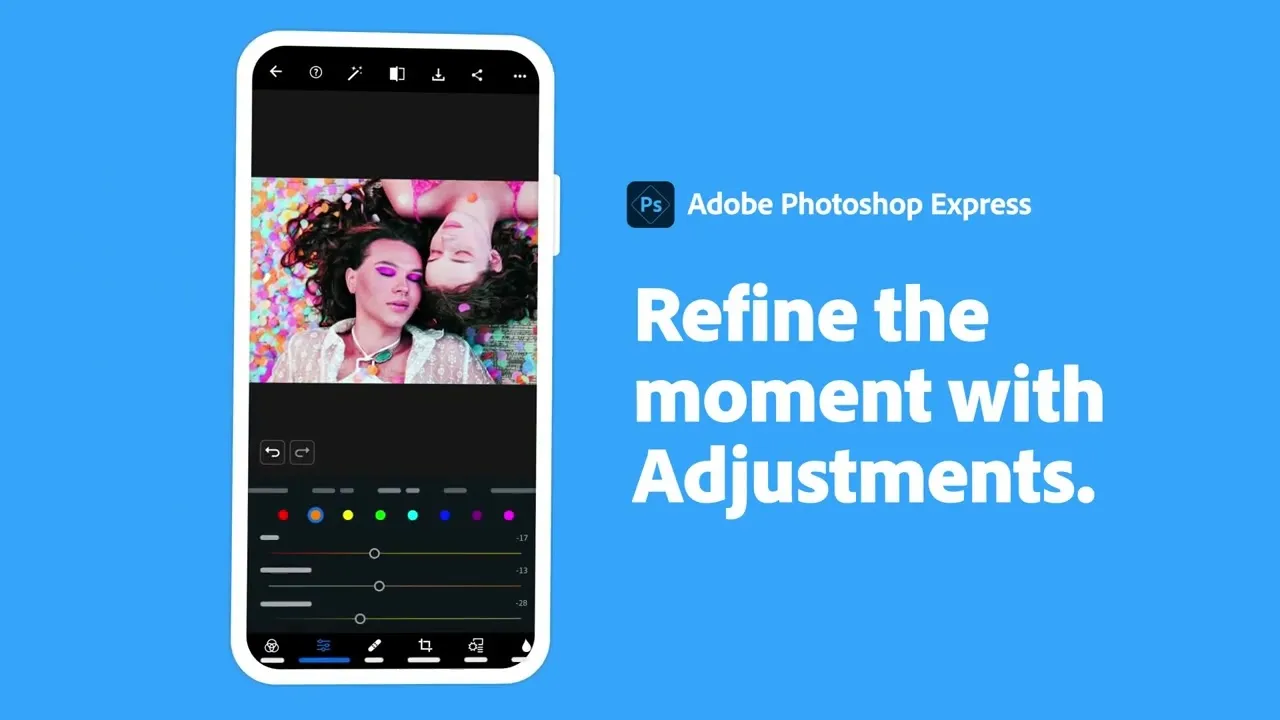
Photoshop Express is Adobe's stripped-down, fast-editing companion app, built for people who want quick, polished results without wading into Lightroom's deeper toolset. It leans on one-tap fixes and AI-assisted tools, making it a good fit for social media content creators who need speed over precision.
Key Features
-
AI-powered tools for cutouts, background removal, and dehazing
-
Generative Fill and Generative Expand for adding or removing objects using text prompts
-
Spot healing, skin smoothing, and makeup transfer presets for portrait touch-ups
-
Collage maker and a large library of themes, borders, and overlays
-
Direct integration with Google Photos, Dropbox, and Adobe Creative Cloud
-
"Send to Photoshop" handoff, letting you continue editing on desktop
-
Support for RAW files up to 48 megapixels on the premium tier
Ratings
Google Play Store: 4.6 out of 5
Apple App Store: 4.7 out of 5
Pros and Cons
Pros
-
Fast, intuitive interface suited to editing beginners
-
Strong AI tools, including generative object removal, on a mobile app
-
Seamless handoff to full desktop Photoshop for deeper edits
-
Reliable performance even on older or mid-range Android devices
Cons
-
Advanced tools like RAW editing and selective healing sit behind a premium plan
-
Frequent prompts to upgrade can interrupt the free experience
-
Less suited to detailed, professional-grade color grading than Lightroom
-
Some users report the free version feels limited for regular use
Pricing
The core app is free with optional in-app purchases and ads. A Premium subscription unlocks RAW editing, selective area edits, additional effects, and ad removal, priced at roughly $7.99 per month or bundled into Adobe's broader Creative Cloud plans starting around $9.99 to $10 per month. A free trial is typically offered before the premium plan kicks in.
How the Fileion Team Analyzed and Picked This Tool
We evaluated Photoshop Express on editing speed, AI feature quality, and how approachable it is for someone who doesn't want to learn a full editing suite just to fix a photo.
VSCO
VSCO built its name on film-inspired presets and a creative community that deliberately skips public likes and follower numbers. It's less about precision editing and more about achieving a consistent, aesthetic look across your feed. It's ideal for creators who care as much about visual identity as individual photo quality.
Key Features
-
Over 200 film-inspired presets on the paid tier, covering a wide range of moods and tones
-
Custom "Recipes," which let you save and reuse your own preset combinations
-
Full video editing tools alongside photo editing, including trim, speed, and color grading
-
HSL color tools for fine-tuned color adjustments
-
Journal feature for combining photos and text into a shareable story format
-
DSCO tool for creating GIFs directly within the app
-
A social platform for sharing work without algorithmic pressure or visible metrics
Ratings
Google Play Store: 3.6 out of 5
Apple App Store: 4.7 out of 5
Pros and Cons
Pros
-
Distinctive, film-like presets not easily replicated in other apps
-
Combined photo and video editing in a single subscription
-
Recipe feature saves time when editing multiple photos with the same look
-
Community platform focused on creative sharing rather than engagement metrics
Cons
-
The free tier is limited to just 15 presets, well short of the full library
-
Android version reportedly has more bugs and fewer features than iOS
-
Some AI Lab tools, like object removal, are iOS-only for now
-
Subscription pricing has increased significantly in recent years
Pricing
VSCO offers a free Starter tier with basic editing tools and 15 presets. VSCO Plus is listed at $29.99/year or $7.99/month, while Pro is about $59.99/year; the free tier is limited, and the full preset library is behind paid plans.
How the Fileion Team Analyzed and Picked This Tool
We looked at preset quality, cross-platform consistency, and pricing relative to competitors, and factored in the reported gap between VSCO's Android and iOS experiences.
Google Photos
Google Photos started as a backup tool but has quietly grown into a genuinely capable editor in its own right. It's built into most Android phones already, which makes it the path of least resistance for casual editing, and its AI tools have become surprisingly advanced. It's best for anyone who wants solid editing without installing a separate app.
Key Features
-
Standard editing sliders for brightness, contrast, saturation, warmth, shadows, and highlights
-
One-tap Enhance tool that uses AI to auto-correct exposure and color
-
Magic Eraser for removing unwanted objects, photobombers, or distractions from photos
-
Magic Editor, which uses generative AI to reposition subjects or change backgrounds
-
Photo Unblur for sharpening slightly blurry images
-
Ask Photos, a conversational search tool that can find and describe images based on their content
-
Automatic cloud backup tied to your Google account
Ratings
Google Play Store: 4.4 out of 5
Apple App Store: 4.8 out of 5
Pros and Cons
Pros
-
Pre-installed on most Android devices, with zero setup required
-
Magic Eraser and several AI tools are now free for all users, not just Pixel owners
-
Ask Photos makes finding specific images far easier than manual scrolling
-
Automatic backup means your edits and originals are rarely at risk of being lost
Cons
-
Editing tools are noticeably less advanced than dedicated apps like Lightroom or Snapseed
-
Some premium AI features, like Magic Editor beyond 10 saves a month, need a Google One subscription
-
Ask Photos isn't available in the EU, UK, or a few US states due to regulatory restrictions
-
Not designed for professional-grade color grading or RAW editing workflows
Pricing
Google Photos itself is free to use, and most core editing tools, including Magic Eraser, are now available to all users at no cost. Deeper AI features and expanded storage require a Google One subscription, starting around $2.99 per month for 100GB, with higher tiers offering more storage and additional Gemini-powered tools.
How the Fileion Team Analyzed and Picked This Tool
We evaluated Google Photos on accessibility, its expanding AI toolset, and how much value it delivers for users who don't want to manage a separate editing app.
Comparison Table
|
Software |
Best For |
Platform |
Price |
Fileion Rating |
|
Snapseed |
Free, professional-grade RAW editing |
Android, iOS |
Free |
4.8/5 |
|
Adobe Lightroom |
Color grading and cross-device syncing |
Android, iOS, Desktop, Web |
Free / Paid from $9.99/mo |
4.7/5 |
|
Photoshop Express |
Fast AI-assisted social media edits |
Android, iOS, Web |
Free / Paid from $7.99/mo |
4.5/5 |
|
VSCO |
Film-inspired aesthetic and presets |
Android, iOS, Web (limited) |
Free / Paid from $29.99/yr |
4.4/5 |
|
Google Photos |
Built-in editing and AI object removal |
Android, iOS, Web |
Free / Paid Google One plans |
4.6/5 |
Final Verdict
There's no single best photo editing app for everyone, and that's really the point. If you want professional-grade control without spending a dollar, Snapseed is hard to beat. If you're serious about photography and want your edits synced across every device you own, Lightroom earns its subscription. For fast, social-ready edits with AI assistance, Photoshop Express fits the bill.
If your priority is a consistent, film-like aesthetic and a calmer creative community, VSCO delivers that, in a way, nothing else on this list does. And if you'd rather not install anything new at all, Google Photos now handles more than most people expect from a built-in tool.
Think about how often you edit, how much control you actually want, and whether you're editing for yourself or building a consistent look for an audience. That answer will point you toward the right app faster than any single "best" recommendation could.
FAQs
What is the best free photo editing app for Android?
Snapseed is generally considered the strongest free option, offering RAW editing, selective adjustments, and a full non-destructive workflow without any subscription.
Is Adobe Lightroom better than Snapseed?
Lightroom offers deeper color grading tools and cross-device cloud syncing, making it better suited for serious photographers, while Snapseed offers comparable editing depth for free but without syncing and organizational features.
Which app is best for editing photos for Instagram?
VSCO is built specifically around creating a consistent, film-inspired aesthetic, which makes it a popular choice for building a cohesive social media feed.
Do I need a paid app to remove objects from photos?
Not necessarily. Google Photos' Magic Eraser is now free for all users and handles basic object removal well, though Photoshop Express and Lightroom offer more advanced generative tools on their premium tiers.
What should I look for in a photo editing app?
Consider whether you need RAW file support, how important cross-device syncing is to you, whether you want AI-assisted tools like object removal, and whether a subscription fits your budget for the features you'll actually use.


